










Introduction
In today’s rapidly evolving digital world, computer networking has become one of the most important foundations of Information and Communication Technology (ICT). From businesses and educational institutions to hospitals and government organizations, computer networks make communication, information sharing and digital operations possible.
Every time you connect to the internet, send an email, share a document or access information from a remote server, you are using computer networking technology.
But what exactly is computer networking? How does it work, and why should you consider learning it?
At Faella ICT Institute, understanding computer networking is an important step toward developing relevant digital skills and preparing for opportunities in the technology industry.
Whether you are a beginner, student, computer enthusiast or aspiring IT professional, this guide will introduce you to the fundamentals of computer networking, its types, essential devices, protocols, benefits and career opportunities.
What Is Computer Networking?
Computer networking is the process of connecting two or more computers and digital devices to communicate, exchange information and share resources.
These connections can be established using wired technologies, such as Ethernet cables, or wireless technologies, such as Wi-Fi.
A computer network allows connected devices to share files, printers, internet connections, applications and other resources.
For example, in a computer laboratory, several computers can connect to a central network and share the same internet connection. This is a practical example of computer networking.
Computer networking is essential because it enables organizations and individuals to communicate efficiently, collaborate and access digital services.
How Does Computer Networking Work?
Computer networking works by allowing connected devices to exchange data through communication channels.
When a computer sends information to another device, the information is transmitted in smaller units called data packets. These packets travel through the network using established communication protocols.
The receiving device processes the information and delivers it to the appropriate application or service.
The main components involved in computer networking include:
- Sender: The device that sends information.
- Receiver: The device that receives information.
- Transmission medium: The physical or wireless channel used to transmit data.
- Network devices: Equipment used to connect devices and direct network traffic.
- Network protocols: Rules that allow connected devices to communicate.
One of the most important protocol suites is TCP/IP, which supports communication across interconnected networks, including the internet.
Types of Computer Networks
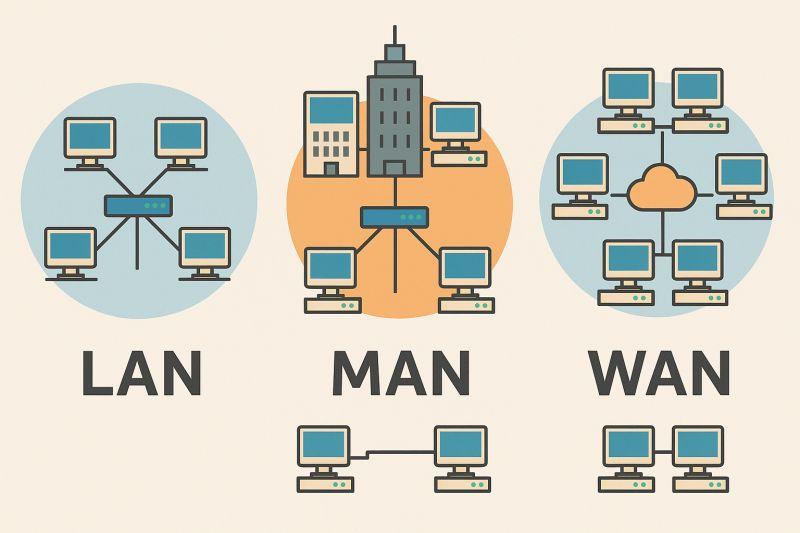
Computer networks are classified according to their geographical coverage, architecture and purpose. Understanding these network types is important for anyone learning networking fundamentals.
1. Local Area Network (LAN)
A Local Area Network connects computers and other devices within a limited geographical area, such as a home, school, office or computer laboratory.
LANs allow users to share files, printers, servers and internet connections.
For example, a school can establish a LAN to connect computers in different classrooms and administrative offices.
2. Wide Area Network (WAN)
A Wide Area Network connects multiple networks across large geographical distances.
WANs are commonly used by organizations with branches in different cities or countries.
The internet is the most familiar example of a global interconnected network.
3. Metropolitan Area Network (MAN)
A Metropolitan Area Network connects multiple local networks within a city or metropolitan region.
It can be used to connect different offices, educational institutions or organizational facilities across an urban area.
4. Wireless Local Area Network (WLAN)
A Wireless Local Area Network connects devices using wireless communication technologies, commonly Wi-Fi.
WLANs are widely used in homes, schools, offices and public spaces because they allow devices to connect without requiring individual Ethernet cables.
Essential Computer Networking Devices
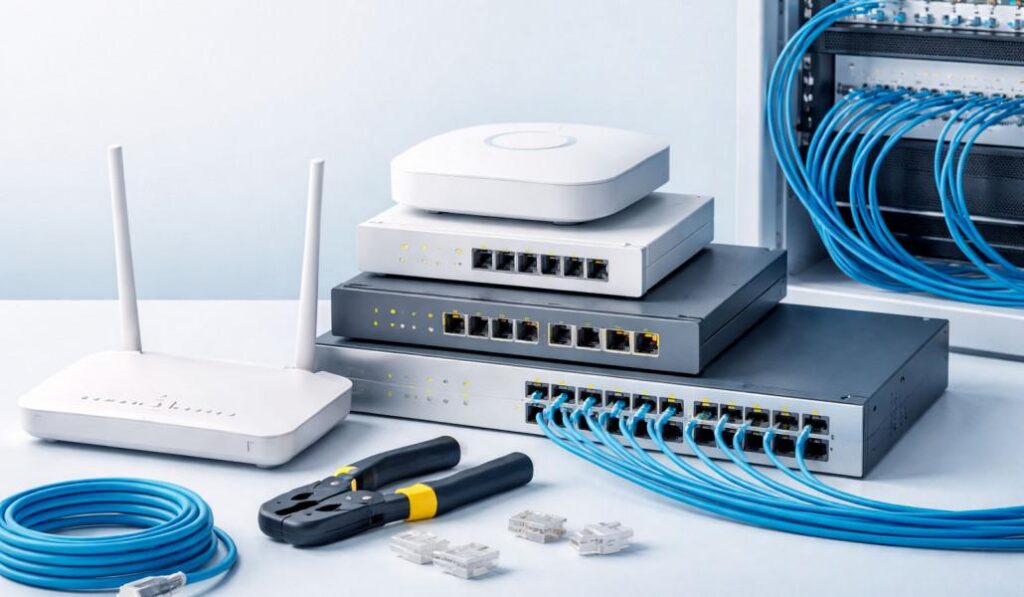
Building and maintaining a computer network requires different hardware components. Each networking device performs a specific function.
Router
A router connects different networks and forwards data packets toward their destinations.
Routers are commonly used to connect a local network to the internet.
Network Switch
A network switch connects multiple devices within a Local Area Network and forwards data to the appropriate destination.
Modem
A modem enables communication over an internet service provider’s access connection using the relevant transmission technology.
Network Interface Card (NIC)
A Network Interface Card is a hardware component that allows a computer or another device to connect to a network.
Ethernet Cable
Ethernet cables provide wired network connections between computers, routers, switches and other networking equipment.
Wireless Access Point
A wireless access point allows Wi-Fi-enabled devices to connect to a wired network through wireless communication.
Understanding how these devices work together is an important part of practical computer networking training.
Common Computer Networking Protocols
Network protocols are rules that govern how information is transmitted and received between connected devices.
Some important networking protocols include:
- TCP/IP: Provides the fundamental communication framework used by the internet and private networks.
- HTTP/HTTPS: Supports communication between web browsers and web servers.
- DNS: Translates domain names into IP addresses.
- DHCP: Automatically assigns IP configuration information to network devices.
- FTP: Supports file transfers between systems.
- SSH: Provides secure remote access to network devices and computers.
Learning these protocols helps beginners understand how computers communicate across different networks.
Understanding IP Addressing and Subnetting
An Internet Protocol (IP) address is a logical address assigned to a network interface to identify it within an IP network.
IP addressing allows devices to communicate and exchange information across networks.
There are two major versions of IP addressing.
IPv4
IPv4 uses a 32-bit addressing system and is commonly written in dotted-decimal notation.
Example: 192.168.1.1
IPv6
IPv6 uses a 128-bit addressing system and provides a significantly larger address space than IPv4.
What Is Subnetting?
\Subnetting is the process of dividing an IP network into smaller logical networks called subnets.
It helps network administrators organize networks, manage IP addresses and improve network design.
Understanding IP addressing and subnetting is an essential skill for aspiring network technicians and network engineers.
Why Is Network Security Important?
Network security involves protecting computer networks, connected devices and transmitted information against unauthorized access, cyberattacks and other security threats.
Businesses, schools and organizations depend on secure networks to protect sensitive information and maintain reliable operations.
Some important network security practices include:
- Using strong passwords.
- Configuring firewalls.
- Updating networking devices and software.
- Using secure wireless encryption.
- Managing user permissions and access.
- Monitoring network activities.
- Maintaining regular backups.
Learning basic network security helps students understand how to protect digital infrastructure and maintain secure communication.
Essential Skills for Learning Computer Networking
Anyone interested in computer networking should develop theoretical knowledge and practical technical skills.
Important networking skills include:
- Understanding computer hardware and operating systems.
- Learning IP addressing and subnetting.
- Configuring routers and switches.
- Understanding LAN, WAN and WLAN technologies.
- Installing and testing network cables.
- Configuring wireless networks.
- Understanding TCP/IP protocols.
- Troubleshooting network connectivity problems.
- Applying basic network security practices.
- Understanding network monitoring and maintenance.
Practical experience is particularly important because networking involves configuring, testing and maintaining real network environments.
Benefits of Learning Computer Networking
Computer networking offers several benefits for students, businesses and individuals interested in information technology.
1. Career Development
Networking knowledge provides a foundation for different IT career paths, including network administration, technical support and network engineering.
2. Technical Problem-Solving
Learning networking helps individuals identify, diagnose and resolve connectivity and communication problems.
3. Business Opportunities
Networking skills can support services such as network installation, maintenance, configuration and technical support.
4. Understanding Modern Technology
Computer networking helps learners understand the infrastructure behind internet communication, cloud computing and digital services.
5. Professional Development
Networking fundamentals provide a foundation for more advanced training and professional certifications.
Career Opportunities in Computer Networking
Computer networking knowledge can open pathways into different areas of the ICT industry.
Some potential career opportunities include:
Network Administrator
Manages, maintains and monitors computer networks within an organization.
Network Support Technician
Provides technical support by identifying and resolving network connectivity problems.
Network Engineer
Designs, implements and maintains network infrastructure.
IT Support Specialist
Helps users troubleshoot computer hardware, software, operating systems and network connectivity issues.
Systems Administrator
Manages servers, operating systems, user accounts and related IT infrastructure.
Network Security Analyst
Helps protect network infrastructure by monitoring security threats and implementing security measures.
Professional qualifications, practical experience and relevant certifications can help learners progress in these career paths.
Why Choose Faella ICT Institute for Your ICT Learning Journey?
Technology continues to create opportunities for individuals who possess relevant digital and technical skills.
Learning computer networking is a valuable step for anyone interested in understanding how computers communicate, how networks operate and how digital infrastructure is maintained.
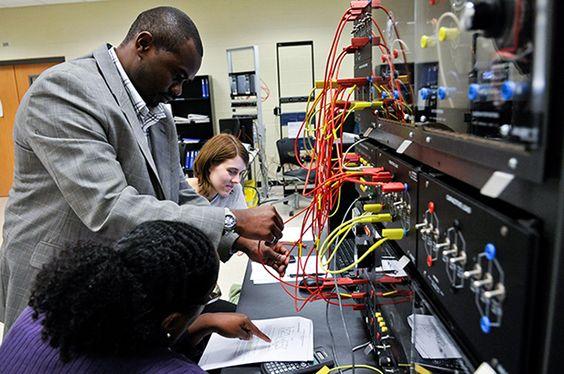
Faella ICT Institute encourages learners to develop their knowledge of information technology and explore opportunities to acquire practical digital skills.
If you are interested in computer networking, consider enquiring about available ICT training programmes, course content, practical learning opportunities, admission requirements and training schedules.
The right learning foundation can help you develop the confidence and technical knowledge needed to explore the world of networking.
Frequently Asked Questions About Computer Networking
1. What is computer networking in simple terms?
Computer networking is the connection of two or more computers or digital devices to communicate, exchange information and share resources.
2. Is computer networking difficult to learn?
Computer networking can be learned progressively. Beginners should start with computer fundamentals, network types, IP addressing and basic networking equipment before progressing to advanced configurations.
3. What equipment is required to build a computer network?
Common networking equipment includes routers, switches, Ethernet cables, network interface cards, modems and wireless access points.
4. What is the difference between LAN and WAN?
A LAN connects devices within a limited geographical area, while a WAN connects multiple networks across larger geographical distances.
5. What skills are required to become a network engineer?
Important skills include IP addressing, subnetting, router and switch configuration, network troubleshooting, network security and understanding communication protocols.
6. What career opportunities are available in computer networking?
Potential career paths include network administrator, network engineer, network support technician, IT support specialist and network security analyst.
7. Where can I learn computer networking in Cameroon?
You can research ICT training institutions in Cameroon, compare their programmes and practical learning opportunities, and contact Faella ICT Institute to enquire about available computer networking training.
Conclusion
Computer networking is one of the fundamental areas of modern Information and Communication Technology. It enables communication, resource sharing, internet connectivity and the operation of digital services around the world.
From understanding LAN and WAN technologies to configuring routers, switches, IP addresses and network security systems, networking knowledge provides an excellent foundation for anyone interested in the ICT industry.
Whether you are a beginner, student or aspiring IT professional, developing computer networking skills can help prepare you for future opportunities in technology.
Start building your digital future with Faella ICT Institute!
Contact Faella ICT Institute today to enquire about available ICT training programmes and take your first step toward developing practical computer networking skills.